








PIXLIP GO LIGHTBOX 200 WIDE - Assembly instructions
Quick overview
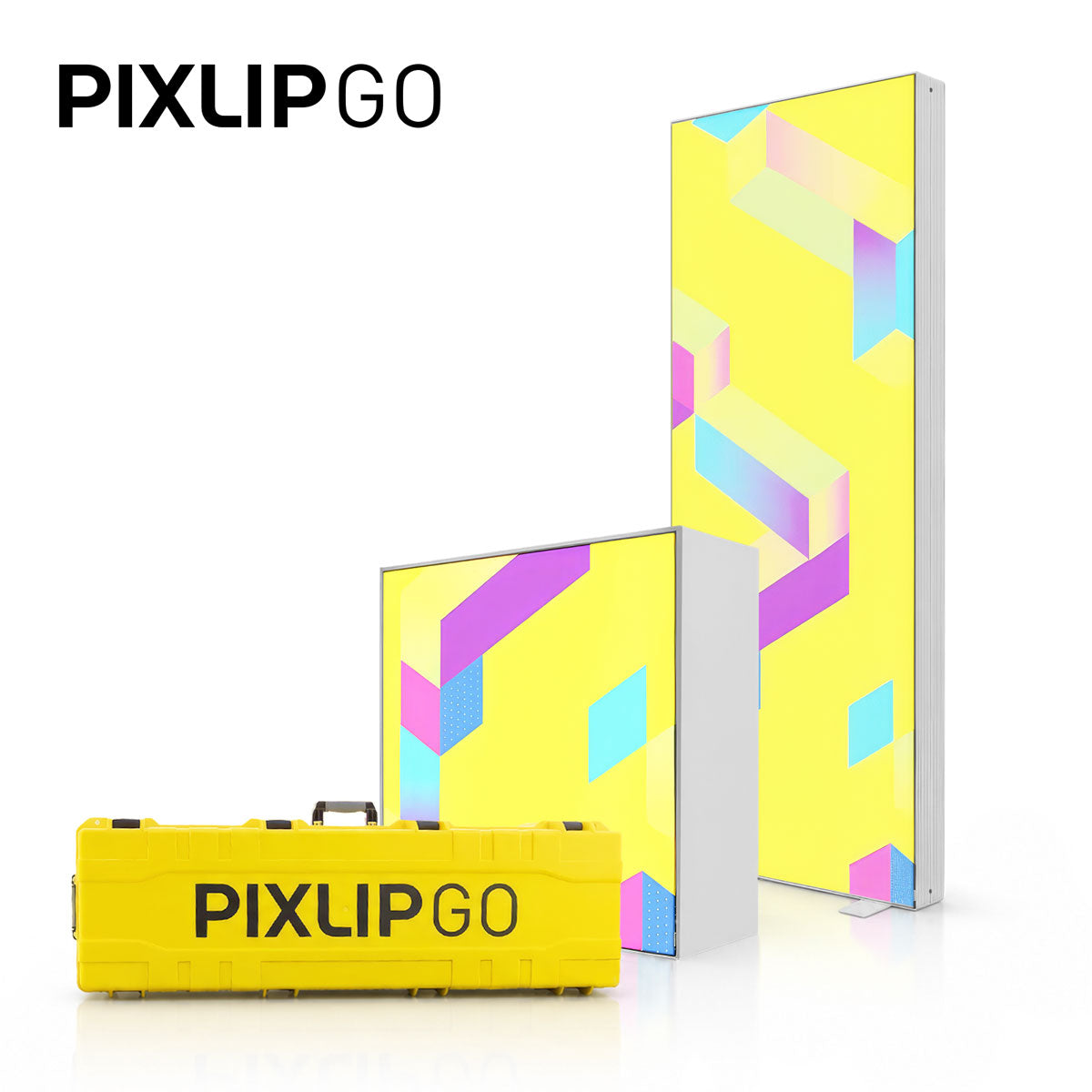
The 200 cm wide PIXLIP GO Lightbox combines brilliant LED light with exceptionally easy handling. The system is lightweight, easy to transport, and modular - ideal for trade show booths, promotional spaces, or changing exhibitions. It can be assembled without tools or significant effort, saving time on site and reducing staffing requirements.
Scope of delivery and preparation
Before you start, lay out all the parts in an organized manner. The scope of delivery includes:
- Aluminum LED profiles for the frame (top and bottom)
- Corner and longitudinal connectors for quickly connecting the profiles
- Base plates for stability
- Inner braces with brace cross for dimensional stability
- Integrated power supplies in the side profiles
- Various cables (spiral cable, extension for module chains)
- Cable clips and plates for securing the wiring
- Two textiles Blockout back and printed front graphic with keder
Step-by-step assembly
-
Lay out the parts clearly
Lay out all profiles, connectors, base plates, and cables. This lets you see at a glance what goes where.
 The assembly follows a logical principle:
Form the frame, insert the inner reinforcement, connect the cables, and fit the textile. It only takes a few minutes and requires no tools.
-
Assemble the lower frame profile
Start with an LED profile, insert a corner connector and a longitudinal connector, and attach the base plate. Repeat this for the second segment.
-
Attach the side sections
Insert the side profiles with the built-in power supplies vertically into the corner connectors. Make sure that the opening for the spiral cable at the power connection points upward. -
Build the inner frame
Insert the first upright brace between the lower LED profiles and install the brace cross. Longitudinal connectors and center braces connect everything into a dimensionally stable inner frame - important so the textile will sit smoothly later.
-
Complete the upper level
Place the side profiles on the longitudinal connectors, lay the struts on the cross, and connect the upper LED profiles with the corner and longitudinal connectors. There - the frame is standing.
-
Set up the wiring
Insert the power supply cable into the power supply from below. Use the coiled cables to connect the power supplies to the LED modules. Connect the two power supplies using the large extension cable: route the cable along the center strut and insert the female connector.
-
Connect the upper LED modules
Use the long coiled cable to supply power to the upper LED modules. Finally, wire all modules to one another - this creates a compact power and lighting network.
-
Connect modules (optional)
To connect several PIXLIP GO elements, use the supplied extension cable. Connect it to the power supply and route it outward through the small recess in the corner connector. This allows the next module to be supplied with power.
-
Secure the cables
Use the supplied cable clips and plates to neatly secure cables to struts and profiles. This increases safety and looks professional.
-
Function test
Before installing the covering, switch on all the lamps once and check that all LED strips are lit.
-
FINAL: Covering ( blockout at the back, print at the front )
The covering is installed in two steps: first the blockout backing, then the printed graphic at the front.
1. Insert the blockout
Start at a corner at the top. First press the keder into the transparent Pixlip Print Clips, then insert it into the groove of the frame. Work your way around until the textile is smooth and wrinkle-free.
2. Front printed graphic
Repeat the same process at the front. The dimensionally stable interior cross keeps the entire surface straight, allowing the graphic to stand out evenly.
3. Connect the power and perform the final check
Finally, connect the power supply. The lightbox shines steadily and is a real eye-catcher.